
Licenses
To access the Licenses screen, the user needs to log in to the ePRINTit SaaS and on the menu bar navigate to the Licenses area.
Getting Started:
Users must log in to the system to access the License feature. Once logged in, users can navigate to the Licenses feature by clicking the "License" option in the main navigation menu. Permissions manage this feature and the user must be associated with a group that allows the user to access this option. To get more information about groups and how to associate them with a role type with this permission, click here.


📘 Instructions
Licenses | Register-To
Licenses | Thing-Type
Licenses | Device
Licenses | File-to-print
Licenses | Service-Settings
Licenses | Fax-Service
Licenses | Translation-Services
Licenses | Email-Services
Licenses | OCR-Services
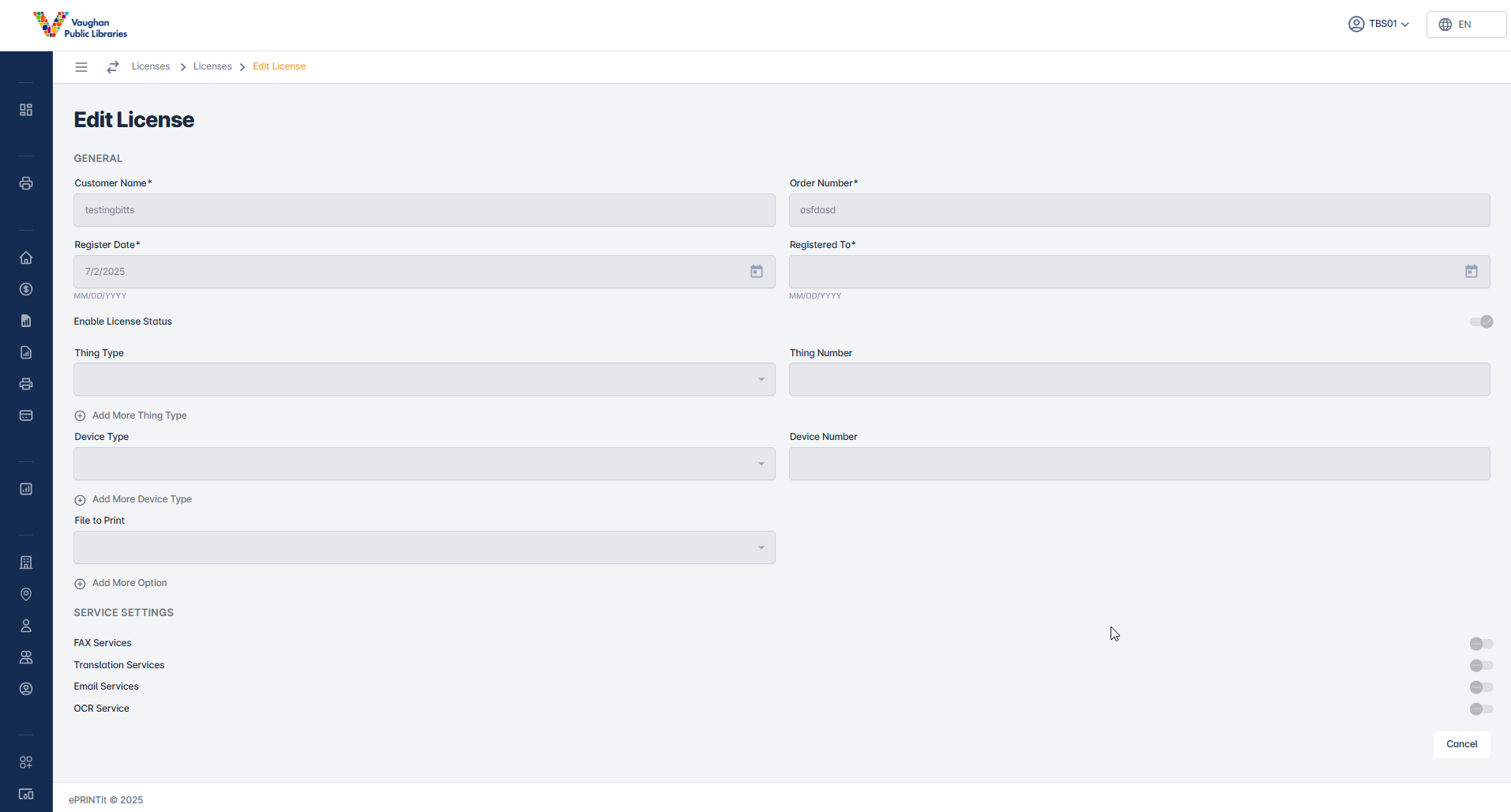
Register To
Set the End date. This will disable the customer once this date is reached.
Thing Type
Enter the required type of Things and the number of each one of them.
Print Delivery Stations (Windows service installed to deliver print jobs to Windows print queues, can be associated with multiple devices (printers))
Kiosk (Application (User interface application, using release code to release print jobs, only one device release queue printer can be associated with a kiosk)
Device
Enter the required devices and the number of each one of them:
Printer (Print Queue a kiosk or PDS will print to)
Computer
File to print
Enter the required type of file to print option
MyPC
Envisionware
Service Settings
This section allows you to manage and configure all available services in the system.
Use these settings to enable, disable, or customize features like faxing, translation, email, and OCR based on your requirements.
Fax Service
Enable and manage fax-related features within the system.
This section lets you configure how incoming and outgoing faxes are handled.
Use it to control availability for both local and international faxing.
Local- Allows sending and receiving faxes within the same country.
Enable this option if your service supports domestic fax operations.International- Allows sending and receiving faxes across countries.
Activate this when global fax communication is required.
Translation Services
Manage translation features for your documents or messages.
Choose the type of translation output depending on your use case.
Text- Provides text-based translation for uploaded or received content.
Useful when you only need written translations without audio support.Audio- Converts content into spoken audio translations.
Ideal for users who require voice-based output.
Email Services
Configure email handling within the platform.
Use this section to manage email delivery, forwarding, and processing rules.
OCR Services
Enables Optical Character Recognition to extract text from images or scanned documents.
Useful for converting non-editable files into searchable and editable text files.

Make sure to select UPDATE to update your License you will receive a toast notification confirming update.