
External Card Validation
External Card Validation is an identity provider integration developed to support the card reader used within the ePRINTit SaaS application embedded in HP printers. It allows users to authenticate and log in to the system using a physical access card, eliminating the need to manually enter a username and password.
When a user presents tap/swipe their card, the system reads the card data and sends it to the configured OIDC (OpenID Connect) identity provider, which verifies the user's identity and grants access based on their assigned credentials.
Display on Portal
Controls whether the identity provider is shown as a login option on the user-facing login portal.
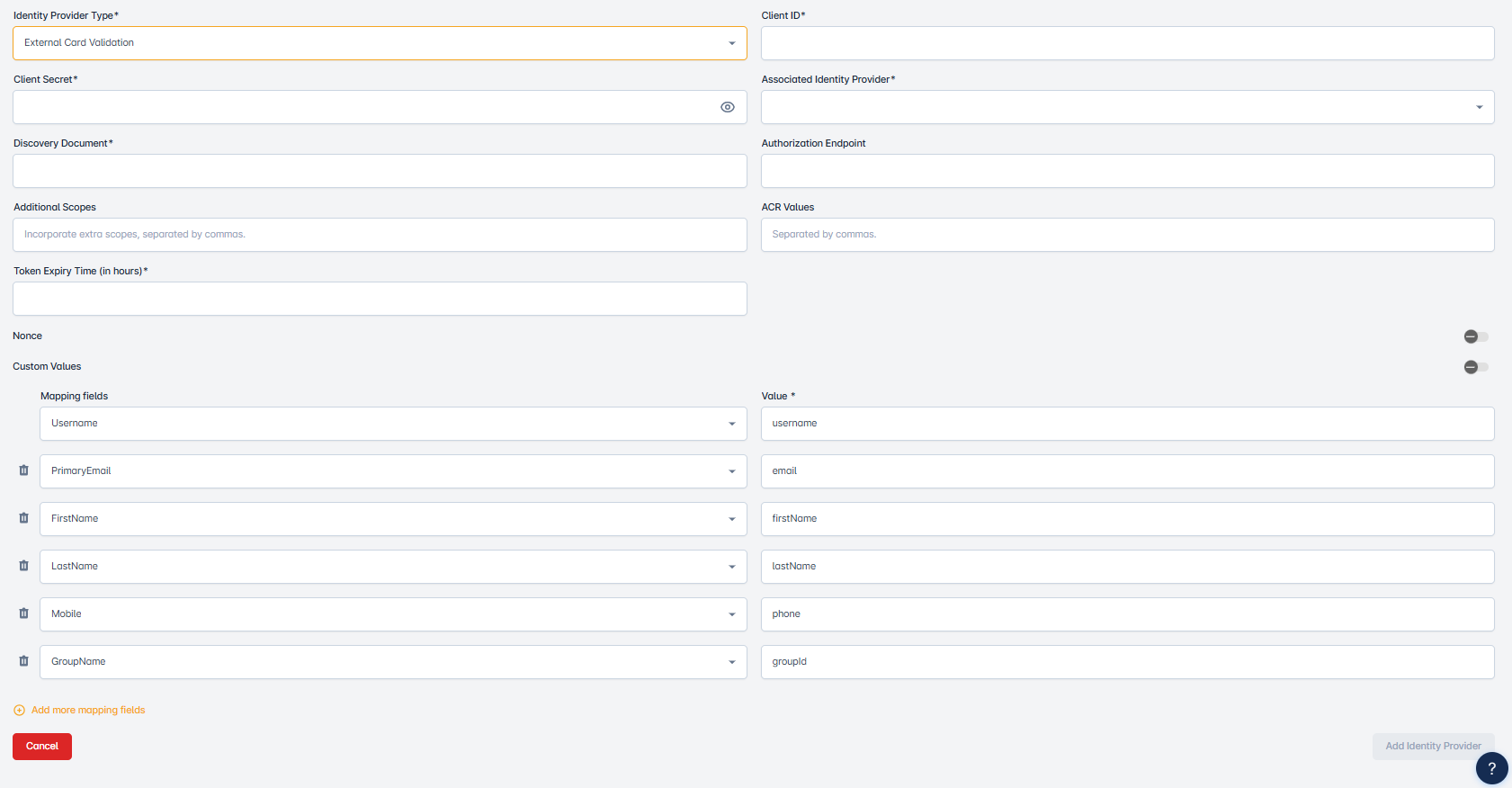
Identity Provider Type
Refers to the category or specification of an identity provider used for authentication and authorization services, often in the context of single sign-on (SSO) and user access management. From this dropdown, select the OpenID Connect Identity Provider.
Client ID
Is a unique identifier used to distinguish and recognize a specific client, typically in the context of business, services, or applications. Enter the Client ID for the OpenID Connect Identity Provider here.
Client Secret
Is a confidential and securely stored piece of information used for authentication and authorization purposes, often in the context of API access or client-server interactions. Enter the client secret for the OpenID Connect Identity Provider.
Associated Identity Provider
Identity provider responsible for authenticating the cardholder’s identity during the transaction.
Discovery Document
Is typically a structured file or data source that contains important information about an API (Application Programming Interface), its endpoints, authentication methods, and available resources. Enter the Discovery Document of the OpenID Connect Identity Provider here.
Authorization Endpoint
An alternative Authorization Endpoint in an OpenID identity provider is an additional or customized URL that allows clients to request authorization from the identity provider in a way that might differ from the standard flow. This helps ensure flexibility and support for diverse authentication needs.
When the Alternative Authorization Endpoint is provided and populated in the OpenID IDP data, the backend will use this as the authorization_enpoint and override the Discovery document “authorization_endpoint”.
Additional Scopes
The Additional Scopes field is used to specify any extra OAuth 2.0 scopes that should be requested during the authentication process. Scopes define the level of access and types of user information the identity provider should return.
These scopes are sent as part of the authentication request and help the identity provider determine which user attributes or permissions should be included in the token.
ACR Values
The ACR Values (Authentication Context Class Reference Values) field is used to specify the desired level or method of authentication that the identity provider should enforce during the login process.
This value tells the identity provider which authentication journey or policy to apply when processing a login request. It is particularly useful in environments that support multiple login methods. Enter the appropriate ACR value as defined by your identity provider’s configuration. This field must match a supported authentication context set up within the identity provider to ensure a successful login flow.
Custom Values
The Custom Values field allows administrators to define additional key-value pairs that are sent as part of the authentication request to the OIDC (OpenID Connect) identity provider. These values provide extra flexibility for customizing the authentication journey and meeting specific requirements.
Mapping field
Is a term commonly used in data integration and transformation. It typically refers to a data field that links or associates data from one source to a corresponding field in another source. Here are multiple dropdowns. From these dropdowns, select the mapping variables. The data within a mapping field that connects or associates data from one source with its counterpart in another source, facilitating data integration and transformation. Here are multiple dropdowns. From these dropdowns, select the mapping values.
Callback URL
After adding the OIDC Identity Provider, when you edit that identity provider then you will see the Callback URL section. This callback URL helps customers by redirecting them to the ePrintIt SaaS portal.